Timing is everything in WhatsApp marketing. Sending messages when your audience is most active can dramatically increase open rates and engagement.
With RocketSend.io, you can draft and schedule messages directly from your WhatsApp Web pane, making it effortless to reach customers at the perfect moment—when they’re most ready to read and respond.
Why Timing Matters
Research shows messages sent during peak hours—such as midday breaks or early evenings—can see up to a 20% lift in engagement compared to off-hours. By aligning your sends with customer habits, you increase the chance your message will be noticed, replied to, and acted upon, strengthening both immediate campaign results and long-term brand loyalty.
Install rocketsend.io
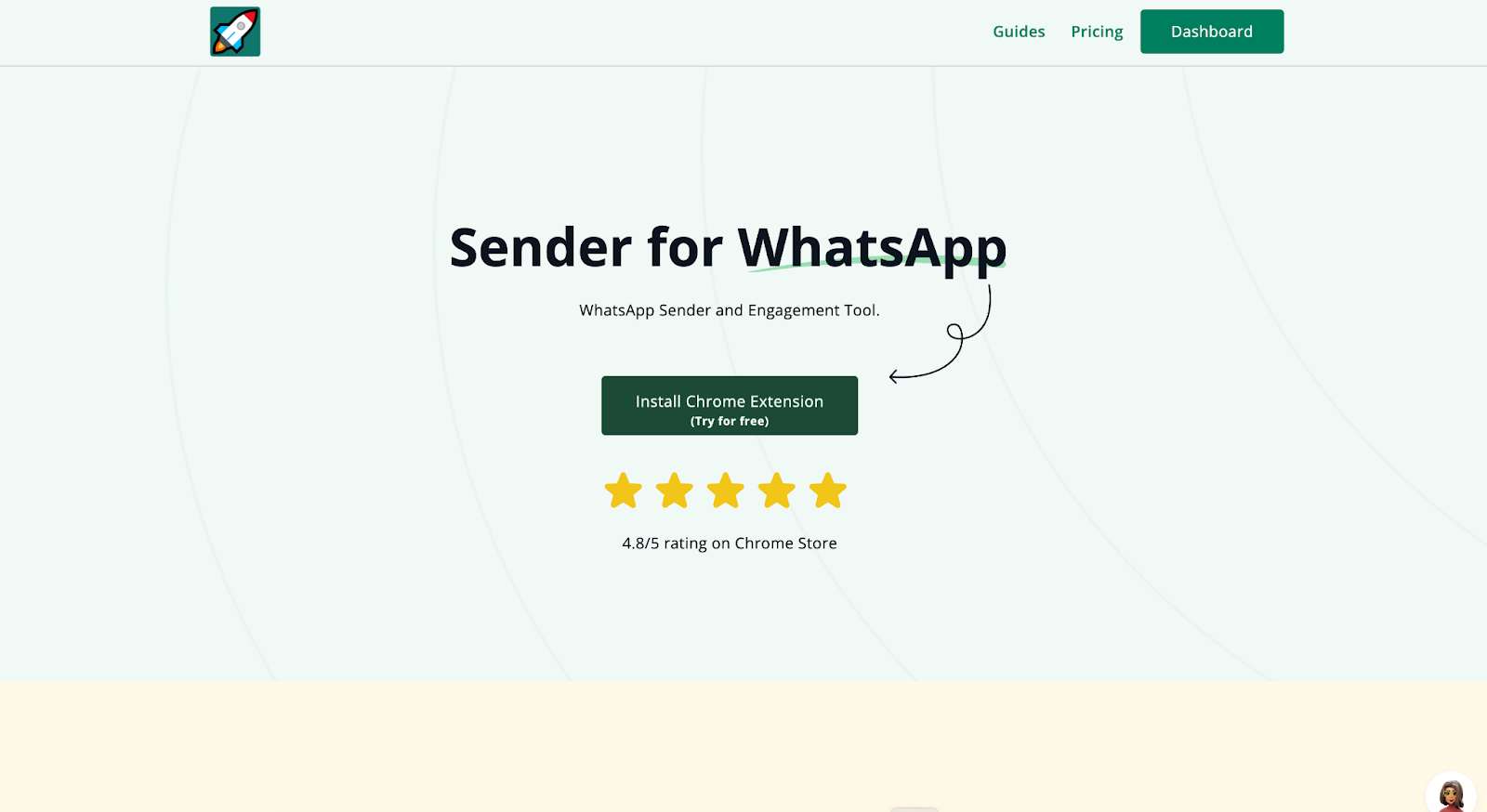
Open Chrome and visit rocketsend.io. Click Install Chrome Extension → Add to Chrome → Confirm. Pin the rocketsend.io icon beside your address bar.
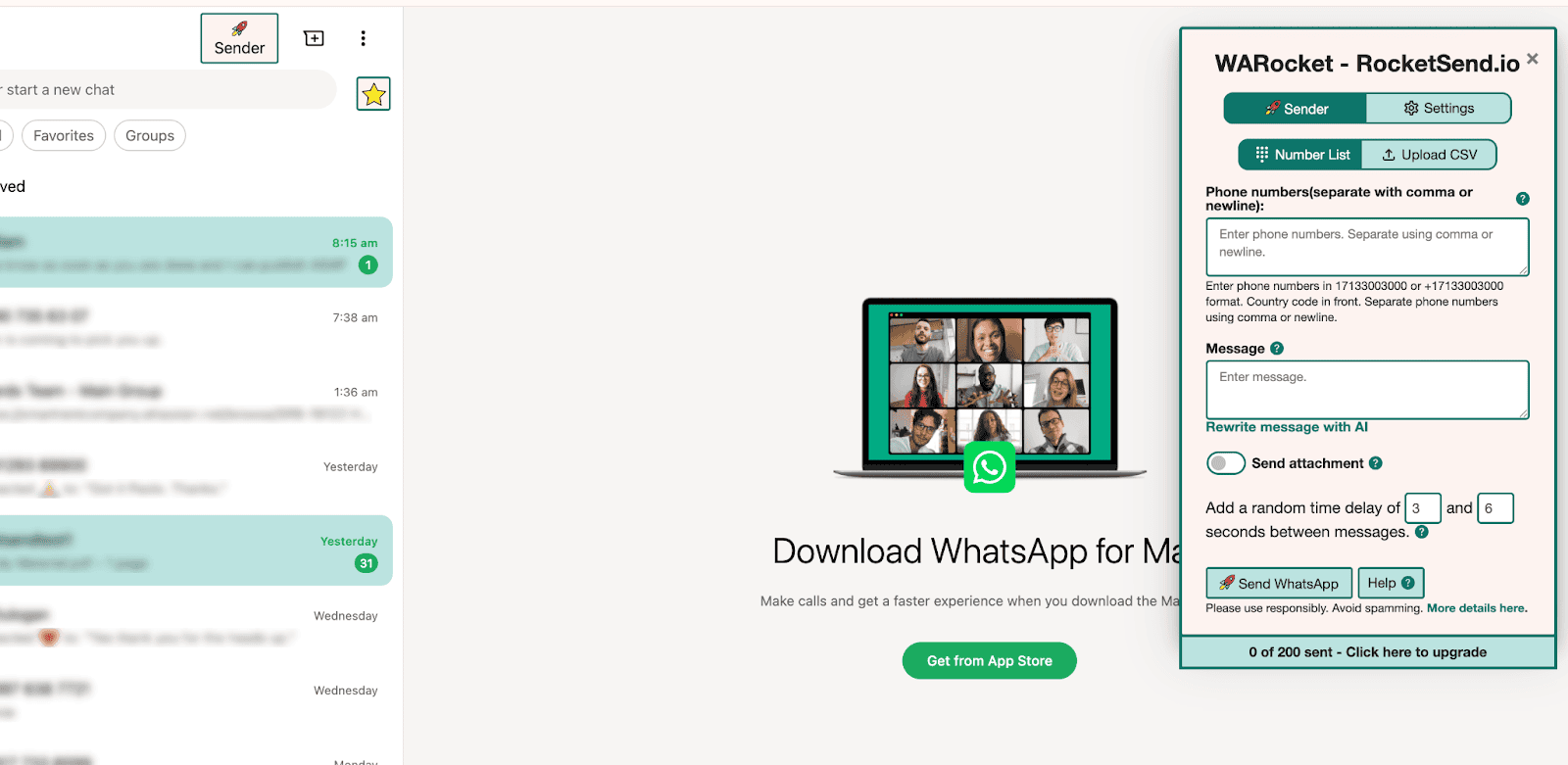
Open WhatsApp Web and click Sender in the top-left to reveal the rocketsend.io pane.
Draft Your Message
Type or paste your campaign text into the editor
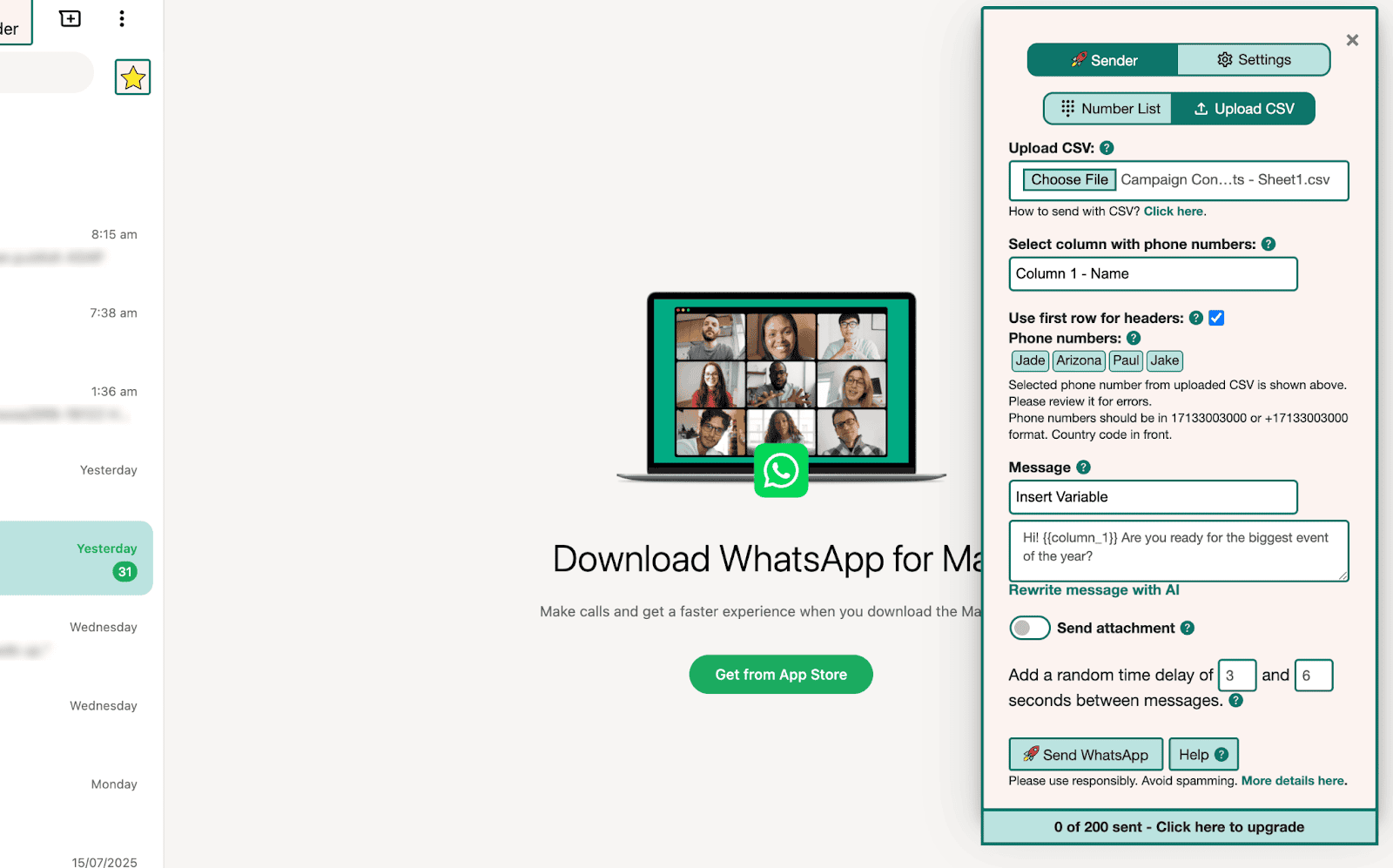
Use Insert Variable to add personalized fields like {{first_name}} or {{event_date}} if you’ve uploaded a CSV for field mapping.
Review your draft for clarity, tone, and call to action. To draft a message quickly,
Schedule for Peak Times
Use your calendar to remind you when to send:
- Draft your message in the rocketsend.io pane and save it as a note or draft.
- Create a Google Calendar event at your ideal send time (for example, 12 PM local time during lunch). In the event description, paste your draft and include any field-mapping reminders.
- Add a notification for the event—set it to alert you a few minutes beforehand so you can open WhatsApp Web and click Send WhatsApp in rocketsend.io.
- For follow-ups, create additional calendar events 24 hours and 1 hour before your promotion or event, each with the corresponding reminder text ready to paste.
This keeps your sends perfectly timed without a built-in scheduler—just rely on your calendar alerts to prompt you when it’s time to hit send.
Tracking & Optimization
- Monitor reply rates and response times after each scheduled send
- Compare engagement for messages sent at different times using a simple chart in Google Sheets or your analytics dashboard
- Adjust future schedules based on data: try earlier or later hours to fine-tune your send windows
Best Practices
- Limit scheduled sends to no more than two per day per contact to avoid fatigue
- Use insights from WhatsApp traffic studies.
- Block major holidays or off-peak hours in your scheduler to prevent wasted sends
Conclusion
Scheduling messages with rocketsend.io ensures your campaigns hit the inbox at just the right moment. Draft ahead, choose optimal windows, and watch your engagement metrics climb. Try scheduling your next WhatsApp campaign today and experience the difference timing makes.