Timely reminders boost attendance and engagement by over 30%. Sending follow-up messages shows your contacts that you value their participation and keeps your brand top of mind. With rocketsend.io, you can draft and schedule personalized reminders without automation tools, ensuring each message feels human and relevant.
Install rocketsend.io
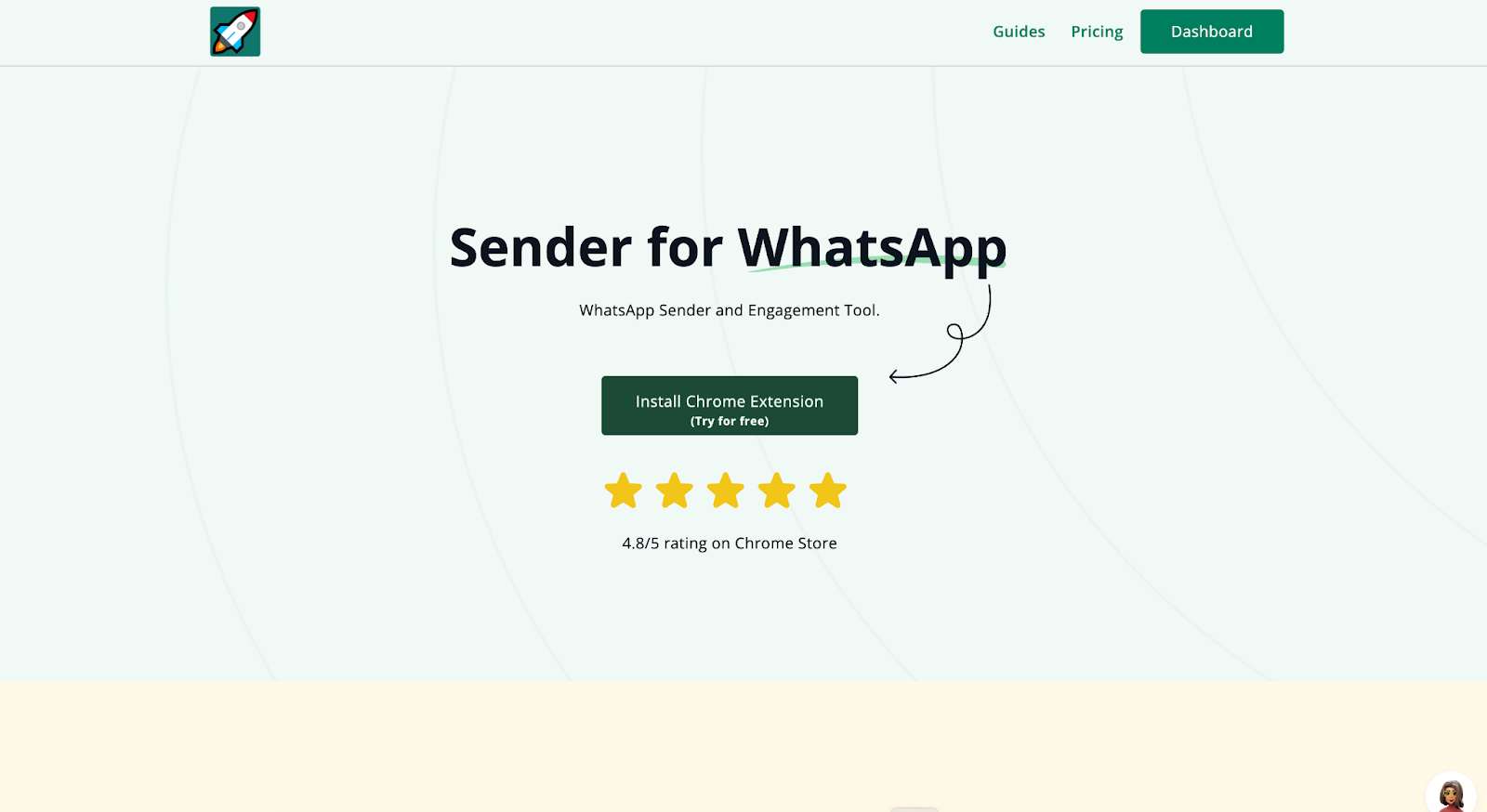
Open Chrome and visit rocketsend.io. Click Install Chrome Extension → Add to Chrome → Confirm. Pin the rocketsend.io icon next to your address bar.
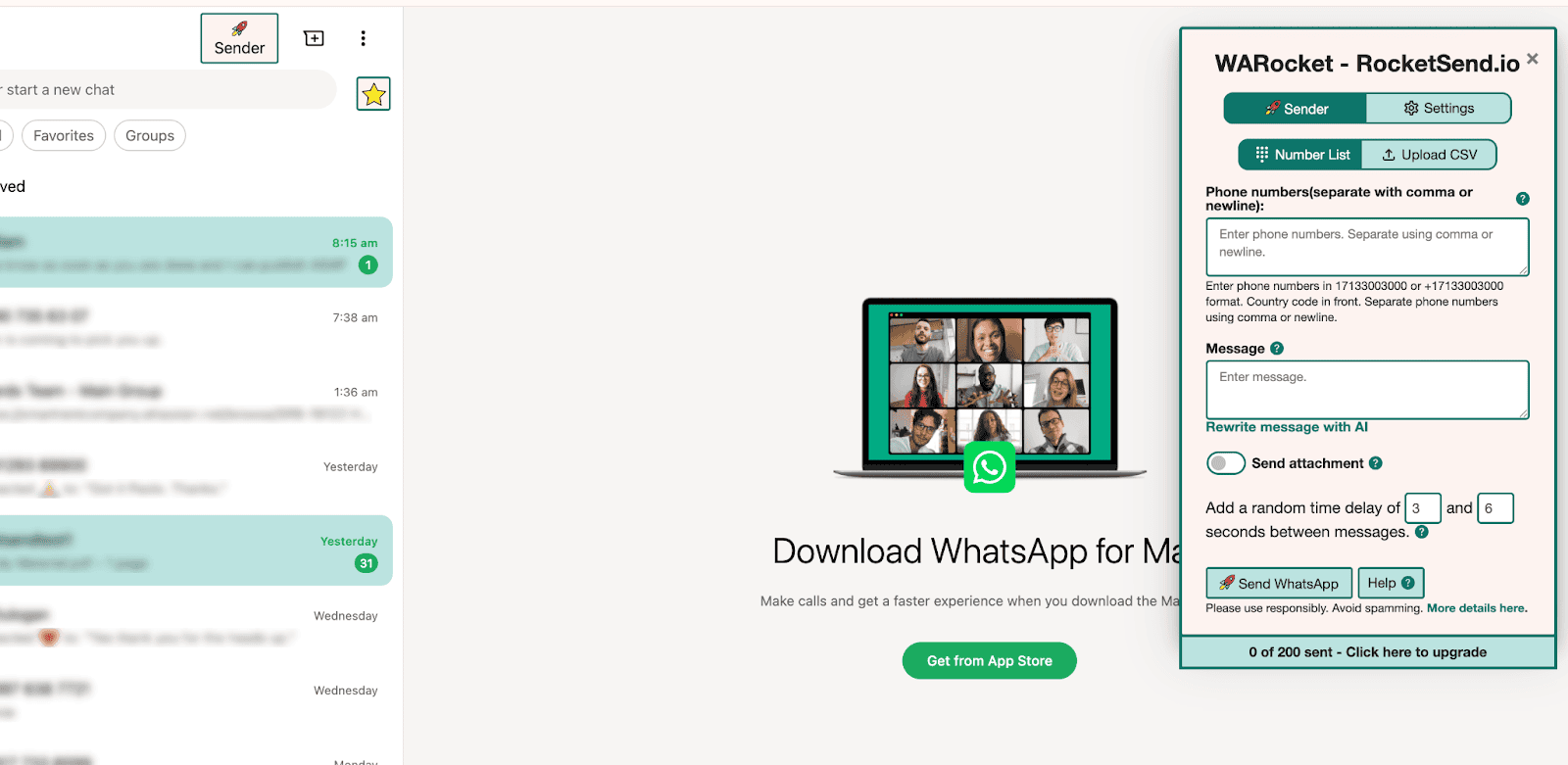
Open WhatsApp Web and click Sender in the top-left to launch the rocketsend.io pane.
Prepare Your Contact List
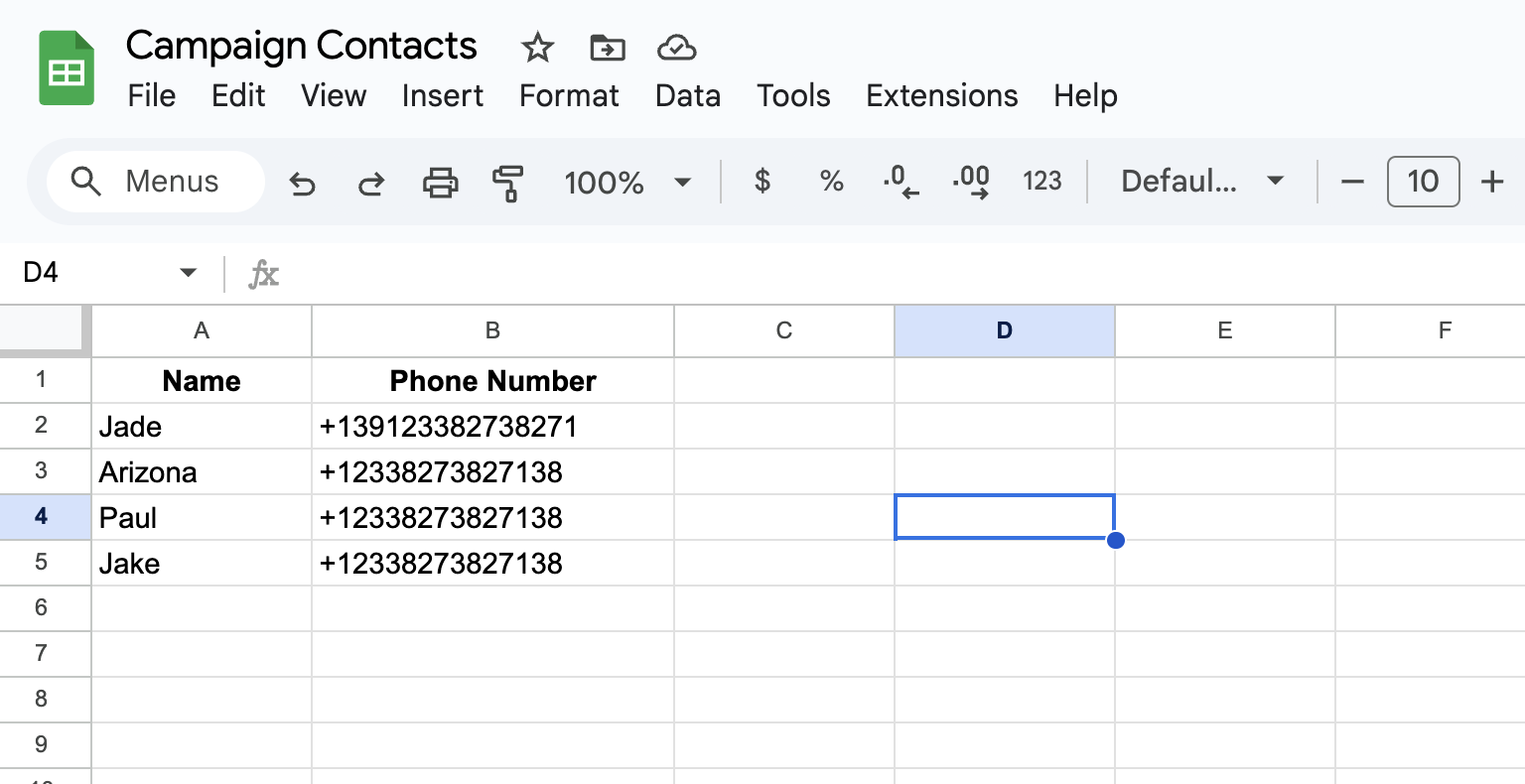
Compile attendee names and phone numbers in a spreadsheet with country codes and no special characters. Save your file as CSV in Excel (File → Save As → CSV) or Google Sheets (File → Download → Comma Separated Values (.csv))
Field Mapping
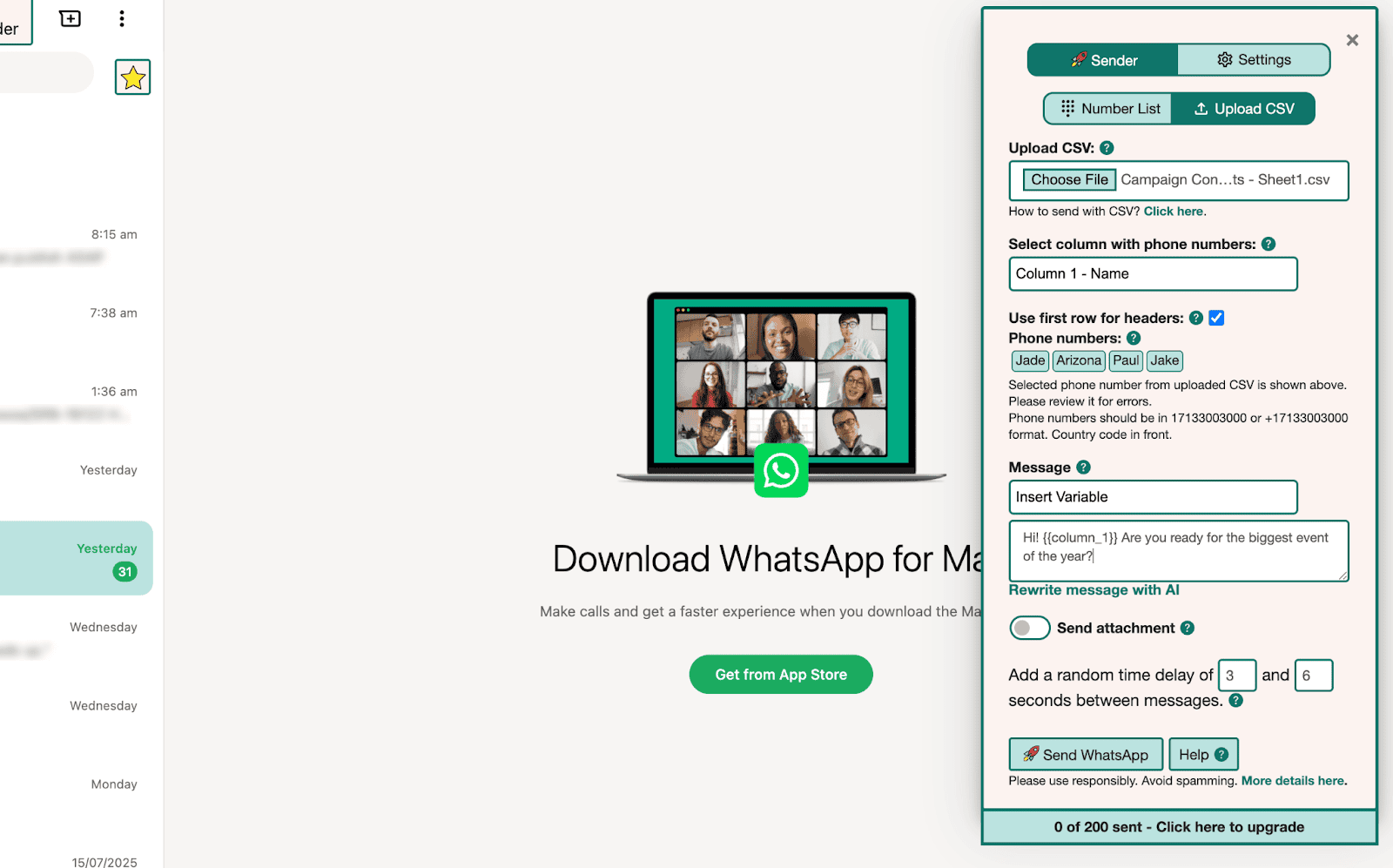
Upload the CSV in rocketsend.io by clicking Upload CSV in the pane
Map the phone number column to Number and name column to {{first_name}} for dynamic personalization
Draft Your Reminder Messages
Write concise reminders with personalization tokens:
Hi {{first_name}}, just a friendly reminder about our webinar tomorrow at 3 PM. We look forward to seeing you!
Include clear calls to action like “See you tomorrow!” or “Let us know if you have questions.”
Schedule Your Follow-Ups
Draft your initial reminder in rocketsend.io, then set a calendar alert for your chosen send time (for example, 24 hours before the event).
For follow-ups, create additional calendar events—one 24 hours before and another one hour before your event—each containing the corresponding reminder text so you can paste and send at the right moment.
Best Practices & Tips
- Keep each reminder under 120 characters for mobile readability
- Use a polite, enthusiastic tone and relevant emojis (#️⃣, ⏰) to capture attention
- Limit reminders to two per contact to avoid fatigue and ensure positive response rates
- Test different send windows (morning vs. afternoon) in small batches to discover your audience’s most responsive times
Conclusion
Personalized follow-up reminders through rocketsend.io help you maintain engagement and drive action without complex automation. By drafting, mapping fields, and scheduling messages, you’ll deliver human-centric reminders that improve attendance and foster stronger connections. Try sending your next reminders with rocketsend.io and watch your response rates climb.